← Blog · July 1, 2026
Mastering the Cold Email Format: Essential Tips for Higher Engagement
Great copywriting won't save a poorly structured cold email. The layout, flow, and sequencing of your message dictate whether it gets opened on a phone, read to the end, or immediately thrown in the trash. Whether you’re hunting for sales leads, recruiting top talent, or pitching potential partners, the underlying blueprint of your email is what turns cold outreach into an actual conversation.
Here is the exact step-by-step framework to build cold emails that get opened, read, and answered.
Key Takeaways
The anatomy of a reply: A winning email needs four things in this specific order: a scroll-stopping subject line, a highly personalized hook, a results-oriented value prop, and a single, low-friction call to action.
Structure beats templates: While your angle changes depending on whether you are selling, recruiting, or partnering, the sequence remains: establish relevance first, show value next, and keep the ask simple. Tailored, personalized emails see a 10% jump in open rates over generic blasts.
Deliverability is your foundation: Your copy is useless if it lands in spam. Proper authentication (SPF, DKIM, DMARC), smart sending limits, and gradual domain warm-up are non-negotiable. NexusCold builds this technical safety net so your emails actually reach the inbox.
Ready-to-use frameworks: Later in this guide, we map out plug-and-play templates for sales pitches, pain-point hooks, finding the right contact, and running follow-ups.
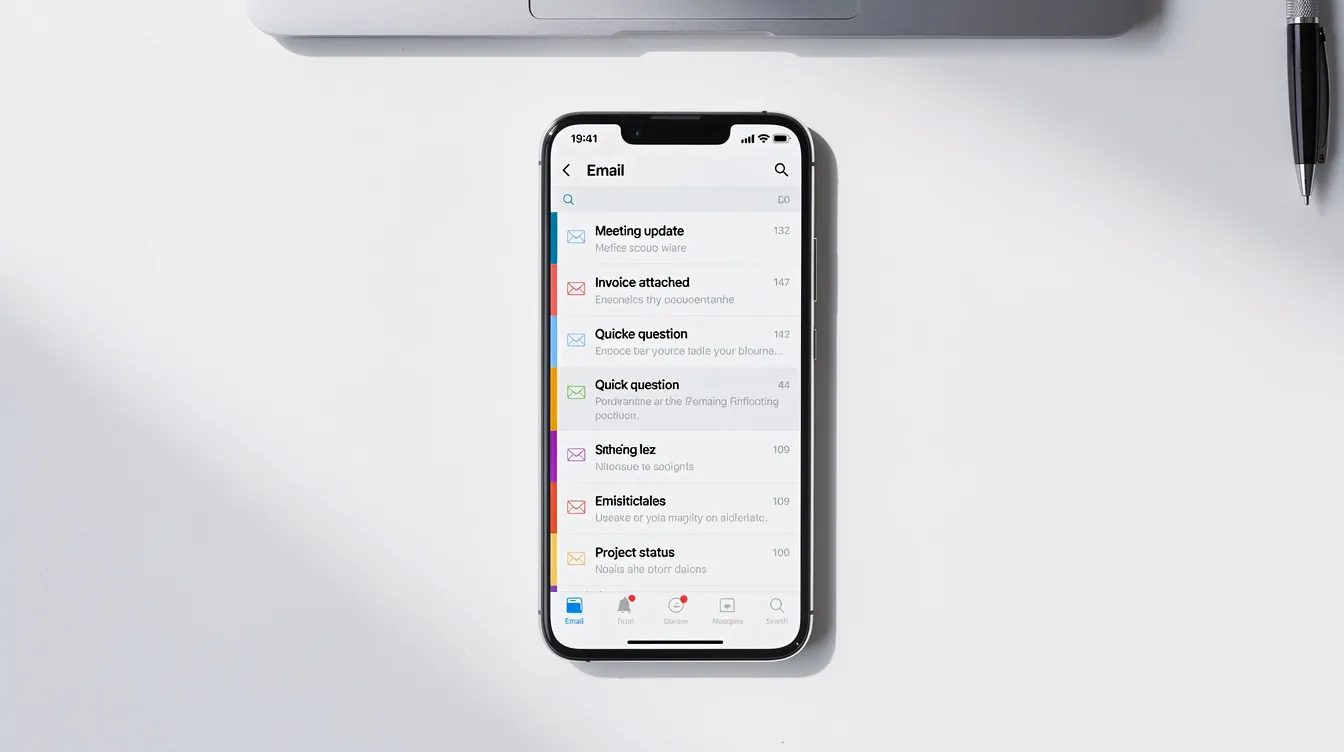
The 2026 playbook is short: Keep your emails under 125 words, optimize for mobile screens, use smart personalization, and stay compliant. Overly long paragraphs and heavy images will get you blocked by filters and ignored by humans.
What Is the Ideal Cold Email Format?
When people search for "cold email format," they usually want a template to copy and paste. But copy-pasting templates is a trap. A format isn't a script; it’s the structural blueprint underneath. It’s how you sequence your ideas, layout your text, and guide the reader's eye from the subject line to the reply button.
Every effective outreach campaign—whether it’s B2B sales, recruiting, or partnership pitches—relies on the same key components: a subject line that earns the open, an opening statement that hooks with relevance, context that shows you did your homework, a value proposition tied to outcomes, quick social proof, and a clear call to action. Templates help streamline your processes, but only when built on top of this core structure.
Here is a simple skeleton format you can reference throughout this article:
Subject: [Trigger or pain] at [Company]

Hi [Name],

I noticed [specific observation or trigger]. We helped [peer company] reduce [problem] by [outcome]. Would a brief call to see if we can do the same for [Company] make sense?

Best,
[Your Name]
[Title], [Company]
This skeleton works because it respects the reader's time, leads with relevance, and ends with a low-friction ask.
Format also directly impacts your deliverability. Short, plain-text emails with minimal links and zero images land in primary inboxes far more often than image-heavy, marketing-style blasts. NexusCold users typically aim for 50 to 125 words, spread across one to three short paragraphs, ending with a single, easy-to-answer question.

Key Components of an Effective Cold Email
Understanding the anatomy of a cold email is the line between booking meetings and shouting into the void. Each component has a specific job to do. Skip one, and the whole message falls apart.
Your sender identity matters before anyone reads a single word. Your email must come from a real person's name at a custom business domain—never a free Gmail or Outlook address. A professional sender identity signals legitimacy to both the recipient and the spam filters.
Next is the subject line. Keep it under seven words. Trigger-event subjects ("RevOps help for your June pipeline") and question-based subjects consistently outperform generic alternatives. While average B2B open rates hover around 24% to 28%, top-performing subject lines that leverage personalization or timely triggers regularly hit 40% to 60%.
Your opening line should personalize the very first sentence with a genuine reference. Something like "Saw your Series B close in May 2026" immediately separates you from mass spam. Avoid clichés like "I hope this email finds you well," which immediately signal a generic automated blast. If you don't research the recipient, you risk sending irrelevant messages that get deleted instantly. Reference a recent event, achievement, or shared interest to keep them reading.
Relevance and context bridge your hook to their business. This is where you show you actually understand their company and their role. Mentioning a mutual connection increases response rates, and targeting a specific pain point can boost engagement significantly.
Your value proposition should be a one-sentence pitch framed around outcomes, not features. Don't explain how your product works; show what it did for someone else. Instead of listing features, explain how a peer company achieved a measurable result. High-performing cold emails typically see a 30% to 50% reply rate when they pair tight personalization with outcome-focused value.
If you include social proof, keep it to a single, punchy sentence. Mention a peer company, a metric, or satisfied customers. Don't overdo it—excessive bragging reads like a marketing brochure.
Every cold email must end with a single, clear call to action (CTA). Emails without one usually get ignored. A simple yes-or-no question works best; questions receive up to 50% more responses than statements. Avoid the hard sell or asking for a 30-minute meeting right away. Instead, ask for a quick chat or see if the timing is right.
Keep your signature minimal: name, title, and company. Skip the heavy disclaimers, social links, and logos. If you aren't sure you have the right contact, a quick "Are you the right contact for this, or should I reach out to someone else?" is a valid approach—but it shouldn't replace delivering clear value in the email body. Popular frameworks like PAS, AIDA, and BAB all use these same core pieces; they just arrange them differently depending on the angle.
Cold Email Format Step by Step
Let’s walk through a cold email from top to bottom, detailing exactly how to write each section.
Subject line: This is your gatekeeper. Keep it to three to seven words and avoid vague subjects like "Quick chat" or "Touching base." A strong example: "RevOps help for your June pipeline target." Personalizing this line with their company name lifts open rates.
Preview text: Many inboxes show a snippet of the first sentence next to the subject line. Use this to complement your subject, not repeat it. Spark curiosity with something like "Saw your Q3 hiring push."
Greeting: Use "Hi [First Name]," instead of formal salutations. Using a recipient's name increases response rates significantly and sets a conversational tone. Skip "Dear Sir/Madam" unless you are writing to a government agency.
Opening statement: Your opening line must reference something specific. "Noticed you recently launched a new integration with Salesforce" beats any generic opener. Personalized emails should reference recent milestones to keep the reader interested from the start.
Relevance and personalization: Connect your hook to their current role or challenge. "With all the growth at [Company], I imagine pipeline efficiency is top of mind right now." This brief context shows you didn't just pull their name from a random list. Public signals—like funding rounds, product launches, or social media posts—are your raw material here.
Value proposition tied to specific pain points: Focus on the recipient's needs rather than your own offerings. Frame your value as an outcome: "We helped [Peer] reduce SDR response time by 40 percent, which added $250K to Q3 pipeline." Keep it to one or two sentences. For better engagement, the body of the email should be under four sentences and written at roughly a third-grade reading level.
Social proof or credibility: If you include it, keep it to one sentence: "Our clients include [Company A] and [Company B]." This is optional but powerful for building trust with cold prospects.
Clear CTA: Use a single, simple call to action. Ask a question: "Would a 10-minute call next week to explore this be worth it?" or "Is this something you are open to exploring at a convenient time?" Avoid asking for a 30-minute block. A quick call framing generates a more positive response.
Signature: Name, title, company. One line each. No banner images, no landing page links, no legal disclaimers.
Common mistakes to avoid: vague subject lines, openings like "Hope you're well," asking for too much time in the CTA, adding multiple links or attachments, and ignoring how the email looks on a mobile screen.
Cold Email Formats for Common Sales Scenarios
Below are four concrete formats designed for specific sales scenarios. Think of these as frameworks you can adapt, not scripts to copy word-for-word. Each should land between 70 and 110 words.
1. "Right Person?" Format
When to use: You are reaching out to a large organization and aren't sure who owns the specific function. Sending to the wrong person wastes everyone's time, but this format helps route you to the decision-maker.
Subject: [Pain/Trigger] at [Company]

Hi [Name],

I'm [Your Name] at [Your Company]. We help companies like [Peer]
reduce [pain] by [outcome]. Are you the right person to speak with
about [area], or is there someone else on your team I should reach
out to?

Best,
[Signature]
This format works because it delivers value even while asking a routing question. If they aren't the right person, they will often forward the email to the hiring manager, RevOps lead, or relevant stakeholder.
2. Pain Point / PAS Format
When to use: You know the typical problem your target audience faces and want to create urgency. The PAS template stands for Problem, Agitate, and Solve. It identifies a problem, agitates it, and offers a solution.
Subject: Struggling with [Pain] lately?

Hi [Name],

Many [industry] teams I talk with find [problem] incredibly frustrating,
especially when [trigger like poor customer service or slow response
times] starts to lose customers. We recently helped [Peer] cut that
down by [outcome]. Would a quick call to explore what that could
look like for [Company] be useful?

Best,
[Signature]
The agitation step creates an emotional response by surfacing the real cost of the problem. Notice how customer interactions and pain are referenced without feature-dumping.
3. AIDA Sales Email Format
When to use: A classic lead generation scenario, particularly for a new offer or product launch. AIDA stands for Attention, Interest, Desire, and Action.
Subject: What if [desired outcome] at [Company]?

Hi [Name],

You just closed your Series B (congrats). Scaling teams usually
struggle with [pain]. We helped [Peer] increase [metric] by [X%]
using [approach]. Do you have 10 minutes this week to see if
that's relevant for you?

Thanks,
[Signature]
This format front-loads a trigger for attention and moves quickly to desire through a peer result. The CTA is a low-friction time ask, not a hard sell.
4. Straight-to-Business Format for Busy Executives
When to use: Targeting C-suite or VP-level contacts—busy executives who scan dozens of emails daily on their phones. No fluff.
Subject: Quick idea for [Company]'s [metric or goal]

Hi [Name],

Straight to it: we helped [Peer] reduce costs in [area] by [X%]
while saving [Y hours/week]. Curious if you'd like a one-pager
or a brief call to see if the same applies to [Company]?

Regards,
[Signature]
This format respects the reader's time and shortens the sales cycle by getting to the value immediately. No preamble, no warm-up paragraph.
Follow-Up Cold Email Format
Most replies to cold outreach do not come from the first email. Data consistently shows that the majority of responses arrive after the second or third touch. If you aren't following up, you are leaving pipeline on the table.
Structure in follow-ups matters just as much as in first touches. Each follow-up should shift the angle slightly, offer new proof or a new question, and remain brief. Repeating your original email word-for-word signals lazy automation and drops engagement. Spacing three to five total emails over 12 to 18 days is typically the sweet spot.
First Polite Nudge (3–5 Business Days Later)
Keep this around 40 to 80 words. Reference the original email in one line, then add a new angle or question.
Subject: Re: [Original Subject]

Hi [Name],

Just circling back on my note below. I also wanted to share
a quick industry insight: [relevant stat or trend]. Does exploring
this make sense for [Company] right now?

Best,
[Signature]
Value-Add Follow-Up
Share something genuinely useful, like a case study, a helpful resource, or constructive feedback on something you noticed about their process. This builds credibility without pushing for a sale. Keep it under 80 words.
Subject: Re: [Original Subject]

Hi [Name],

Thought this might be helpful - we put together a short case study
on how [Peer] solved [problem] in Q2 2026. Happy to send it over
if you're interested, no strings attached.

Best,
[Signature]
Breakup Email
This is your final touch after four to five sends, around 12 to 18 days into the sequence. Keep it between 25 and 60 words. Acknowledge the silence respectfully, and avoid guilt-tripping language.
Subject: Closing the loop

Hi [Name],

I haven't heard back, so I'll assume the timing isn't right.
If things change, feel free to reach out. Wishing you and the
team at [Company] a strong Q3.

Best,
[Signature]
This format often generates a surprising number of late replies because it removes all pressure from the prospect.

Formatting for Deliverability and Readability (From a NexusCold Perspective)
You can write the best copy in the world, but it's worthless if it lands in the spam folder. Email format and technical deliverability are deeply connected, especially for sales teams and agencies running high-volume outreach.
Start with the foundation: every sending domain must have correctly configured SPF, DKIM, and DMARC with an enforced policy. Data from over 32,000 accounts shows that fully authenticated domains enjoy an 85% to 95% inbox placement rate. Without it? You're lucky to crack 50%. That's a 2.7x difference just for setting up your DNS records correctly. Don't leave your DMARC set to "none" either—it monitors things but won't protect you. You need "quarantine" or "reject" enforcement to see real deliverability gains.
Spam filters are incredibly sensitive to formatting signals. Keep your link count to a minimum—ideally one main link max. Avoid heavy HTML, embedded images, and anything that looks like a marketing blast. NexusCold users rely on plain-text styled templates, short paragraphs, and consistent sender names to maximize inbox placement. Don't include a link to a landing page in your first email; save that for follow-ups if needed.
For agencies and sales teams managing campaigns across multiple domains, formatting guardrails are critical. Set daily send caps per mailbox (30 to 50 for new mailboxes, scaling to 150 to 200 after a solid warm-up period). Use inbox rotation to distribute volume, and A/B test variations of your subject lines while keeping the rest of your format stable. This lets you isolate what drives results without confusing deliverability signals.
While copy matters, a deliverability-first platform like NexusCold is what actually gets those formats into the primary inbox. Infrastructure is the silent partner of every successful cold email strategy.
Choosing the Right Cold Email Template for Your Goal
There's no such thing as a one-size-fits-all cold email template. The right approach depends entirely on your objective and your target audience. What works for a VP of Sales will not work for recruiting a senior engineer, and neither will work for partnership outreach.
Here is a simple mapping of goals to formats:
| Goal | Recommended Format | Best CTA Style |
|---|---|---|
| Lead generation | PAS or AIDA | "Open to exploring this?" |
| Right person discovery | Right Person format | "Are you the right contact?" |
| Partnership outreach | Value-first with social proof | "Would a quick call make sense?" |
| Recruiting | Role + mission-focused | "Is this interesting to you?" |
| Re-engaging old leads | Breakup / re-engagement | "Any change in priorities?" |
For lead generation, lean on frameworks like PAS or AIDA that surface a pain point and connect it to a measurable outcome. For discovering the right person, the routing format saves time and often gets forwarded to the actual decision-maker. A hiring manager receiving a cold recruiting email expects a different tone than an ideal customer receiving a sales pitch.
Effective templates are frameworks, not finished scripts. They should be personalized at the level of company, role, and recent events. In 2026, referencing a funding round, a hiring spike, or something a prospect recently launched is the baseline expectation. Your prospects can instantly tell the difference between real outreach and a lazy mail-merged blast.
NexusCold users typically standardize their core formats in the platform, then customize specific fields (company name, pain point, case study reference) using mail merge and AI assistance. This approach lets you scale your volume without sacrificing the specificity that earns replies. A cold call might reach one person per attempt, but a well-structured email template, backed by the right infrastructure, can start dozens of conversations in a single day.

FAQ
How long should a cold email be?
The sweet spot is 75 to 125 words with one low-friction CTA. Most high-performing B2B cold emails land right around 80 to 100 words. Clarity and specificity matter far more than hitting an exact character count. If you can say it in 60 words without losing the impact, do it.
How many cold emails can I safely send per day?
Safe daily volume depends on domain age and reputation. A safe, conservative guideline is 30 to 50 cold emails per new mailbox per day, gradually warming up to 150 to 200 over four to eight weeks. NexusCold automatically manages your warm-up, inbox rotation, and send caps to help you scale safely. Exceeding safe limits on a new domain will lead to deliverability issues that are incredibly difficult to reverse.
Should I always ask for a meeting in my first cold email?
No. A lower-friction CTA often gets far more replies than a direct meeting request. Phrases like "Worth a quick look?" or "Open to a 10-minute chat if this is relevant?" perform well because they require very little commitment from the recipient. You can also ask to verify if they are the right person. Save the calendar link for the follow-up once they’ve raised their hand.
Are cold emails legal for B2B outreach?
Yes, B2B cold emails are legal in regions like the US and Europe, provided you have a legitimate business interest, identify yourself clearly, and offer an easy way to opt-out. In the US, CAN-SPAM requires honest subject lines, a physical address, and an unsubscribe mechanism. In the EU, GDPR and PECR place strict rules on consent and data handling. Always check local laws and keep your lists clean to protect your domain reputation.
Should I use HTML or plain text for cold emails?
Simple, plain-text-style formatting performs best. Use one logo or no images, minimal styling, and short paragraphs. Heavy HTML with multiple images feels like a marketing newsletter and can hurt your deliverability. NexusCold customers typically use plain-text templates to ensure their emails look like genuine, one-to-one messages. If you must include a link, limit it to one, and avoid attachments entirely in your first email.